Skills
Build AI Skills from the blocks you already have
A Skill is a set of instructions an AI app follows when a job matches it. Skills are an open format: Claude, ChatGPT, Cursor, GitHub Copilot, Gemini CLI and many other AI apps support them. PromptMason builds the Skill’s folder for you, checks it, and keeps it in step with your blocks.
How it works
Build it from your blocks
On the Build screen, set Type to Skill and drag in the blocks you already keep: your tone of voice, your standard format, your rules. That makes a Dynamic Skill.
Fill in a few fields
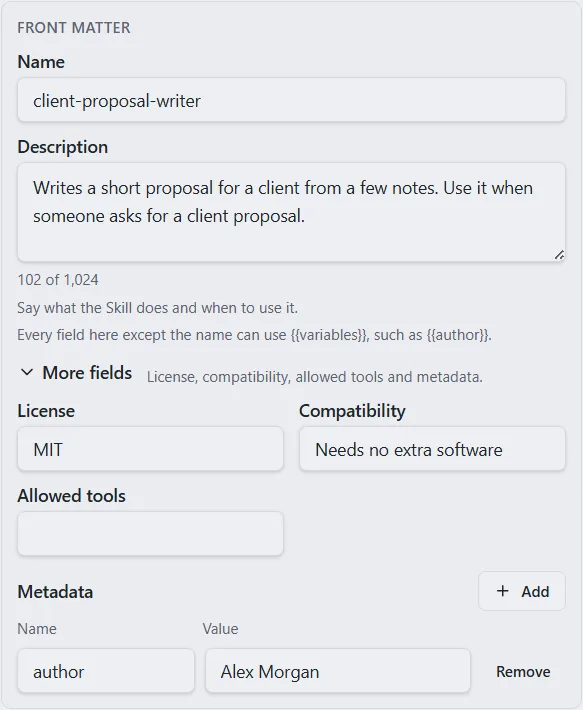
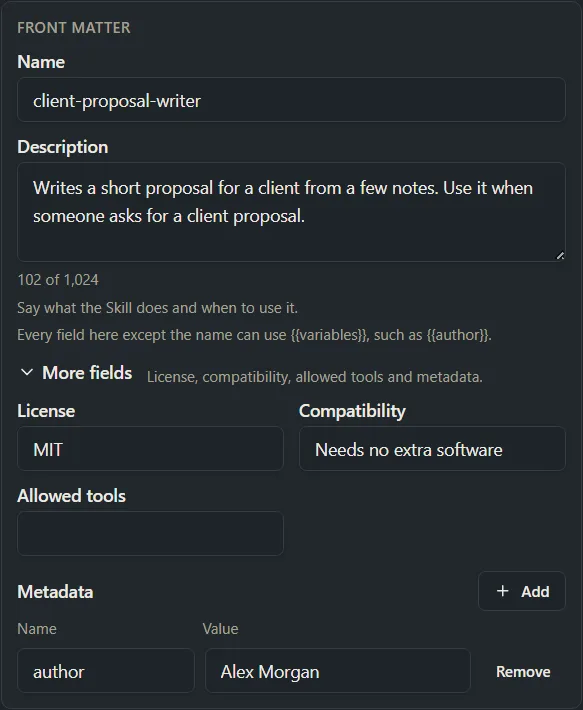
The Front matter card asks for a name and when the AI app should use the Skill. PromptMason writes the technical part at the top of the file for you, and checks it.
Download it, or let your AI app fetch it
Download Skill gives you the Skill’s folder as a .zip file, ready to add to Claude, ChatGPT or another AI app. Or skip the download: an AI app connected through the built-in MCP, such as Claude Code or Cursor, gets the Skill and its files straight from your library.
Dynamic or static
Fix a block, fix every Skill
A Dynamic Skill follows its blocks, like a dynamic prompt. Improve a block once and every Skill that uses it is improved too.
Or write it yourself
A Static Skill is written as text on its own editor screen. Use it when you want the instructions exactly as you wrote them, or an AI app wrote them for you.
Extra files
A Skill can carry the files its instructions point to, such as a reference page or a script, and they go into the download with it.
Use it in Chat
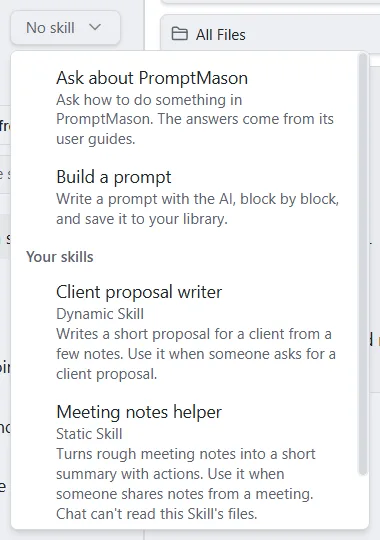
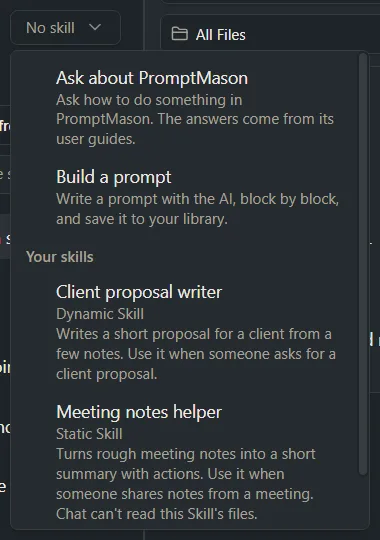
Every Skill you have is in the Skill picker in PromptMason’s Chat, and a connected AI app can save a Skill straight into your library.
For every step with pictures, see the Skills guide. To connect an AI app, see Built-in MCP. New to blocks? Start with dynamic prompts.